 FARM
FARMGuide
How to Manage Multiple Instagram Accounts
Open and use multiple Instagram accounts with PhoneFarm, then organize ownership, content and publishing checks in a repeatable workflow.

To manage multiple Instagram accounts, give each profile a clear job, assign one publishing owner, and match every post to its destination before you send it. PhoneFarm lets you open and use multiple Instagram accounts.
That gives you a place to operate the accounts. The workflow below gives your team a way to keep the content, approvals and results straight. You'll build an account register, create an account-specific publishing brief, and complete a checked posting cycle before adding more profiles.
Open multiple Instagram accounts with PhoneFarm
Instagram, TikTok and YouTube are available on PhoneFarm.
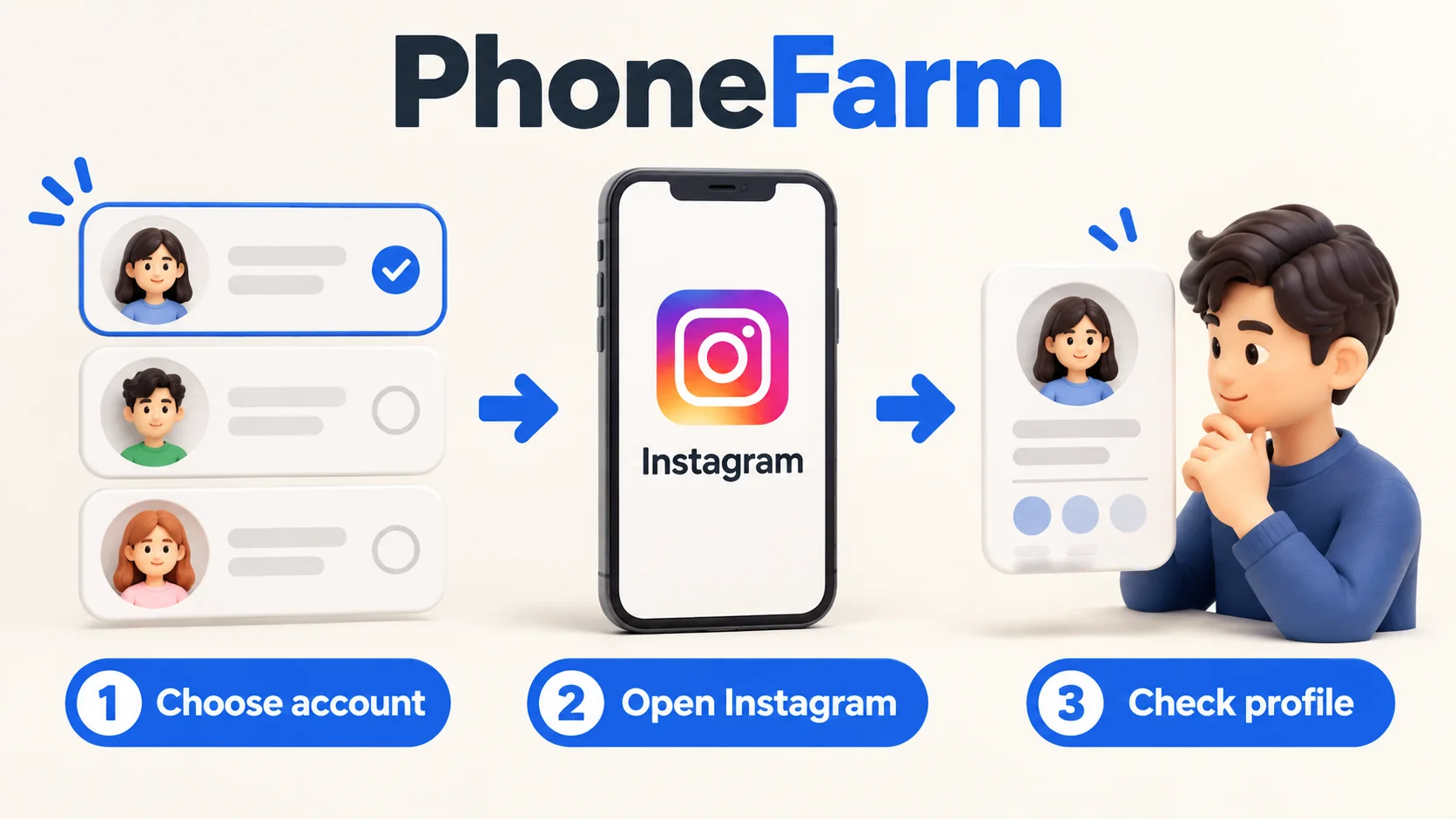
For Instagram, start with the accounts you own or have permission to manage. Keep a simple spreadsheet or project board beside the app, then work through five steps:
- Choose the account. Read its handle and today's task in your register. Make sure someone owns the decision to publish.
- Open Instagram on PhoneFarm. Use the authorized login for that account and complete any verification the app requests.
- Check the active profile. Match the visible handle to your brief before opening the composer or a conversation.
- Do the approved task. Use the agreed media and caption. If the destination or content changes, get approval for the new version.
- Check and record the result. Open the published post on the intended profile and save its link. For an unfinished task, write what remains before moving on.
These are operating steps you can follow with your own planning tools. For account preparation, use our Instagram and YouTube readiness guide. Start with one complete task, then use the same checklist for your other accounts.
Choose a setup for the task you actually do
Account count is only part of the decision. A creator posting to two profiles has different needs from an agency waiting for approval from three clients.
| What you need | Start here | Test before committing |
|---|---|---|
| One person moving between personal and brand work | Instagram's own account controls | Can you identify the active profile before each post and reply? |
| Several people producing content for clients | A shared calendar with a named approver and publisher | Can the publisher find the approved version without asking the editor? |
| Posts that must go out at a scheduled time | Evaluate a scheduler's documented Instagram integration | Does it support your account type and the exact format you publish? |
| Multiple Instagram accounts you want to operate on PhoneFarm | The five-step workflow above and an account register | Can you complete the required in-app task and confirm its result? |
These choices can work together. You might plan the week in a calendar and carry out an account's app tasks on PhoneFarm. Choose tools around the work you need to finish.
Meta has documented account creation and profile-switching features across Facebook and Instagram. Its announcement provides background on those controls, not a current account-count allowance for your setup. Meta's account-switching announcement
Give each account a job and an owner
Before adding another profile, finish this sentence: “This account serves this audience, with this content, to produce this result.” If two profiles have the same answer, decide what makes them worth maintaining separately.
Here's a fictional example for a coffee business. The names below illustrate a planning sheet; they aren't customer results or real account recommendations.
| Account | Audience and purpose | Example post | Publishing owner | Result to review |
|---|---|---|---|---|
| Main brand | Home brewers choosing beans | A taste comparison between two roasts | Brand marketer | Visits to the featured product page |
| Neighborhood cafe | People nearby planning a visit | A weekend special with the location in the caption | Store manager | Questions about the special and attributable visits |
| Barista school | People considering a class | A short milk-steaming lesson | Course coordinator | Class enquiries and bookings |
The same filming session could supply all three accounts. The final posts still need different openings, captions and calls to action because the reader's next step differs. That is a useful reason to operate multiple accounts.
Download the account-register CSV and open it in your spreadsheet tool. It includes one filled row for the fictional neighborhood cafe above. The names, dates and example.com links are placeholders; replace that row before using the register.
Keep one row per account. Fill in these details before starting work:
- Exact handle and a link to the profile.
- Business or client that owns it.
- Person who approves content and person who publishes it.
- Backup operator and recovery-contact owner.
- Reference to the approved credential record, plus the date access was last checked.
- Current campaign and any task that is waiting for approval.
Keep passwords and recovery codes in your credential system. The register only needs to show who can obtain authorized access. Our account inventory guide expands this into a maintainable account-to-phone record.
For your first posting cycle on PhoneFarm, use the row to choose the account and publisher, then follow the five-step workflow above. Fill in last_verified_post_url, result_verified_at and verified_by only after opening the published post on the intended profile. For an unfinished task, keep the last verified post unchanged and describe what remains in next_task_or_blocker. Write “result unconfirmed” there if you can't establish the outcome.
Turn the calendar into a usable publishing brief
“Post the new coffee video” leaves too many decisions open. A publisher needs one handle, one approved version and one clear action.
Copy this brief into your planning tool for each post:
Account handle:
Campaign and intended audience:
Publish date, time and time zone:
Approved media file and version:
Approved caption:
Call to action and destination:
Approver and approval date:
Publisher:
Result: published link, or reason it is waiting
For the fictional cafe, the brief might say: neighborhood account, Saturday pastry special, cafe-pastry-v2.mp4, location-specific caption, and “visit before noon” as the action. The main brand's bean offer belongs in a different brief, even if the footage came from the same shoot.
Use a simple sequence in the calendar: draft → review → approved → publishing → verified. Move a post to “verified” only after the publisher checks the result. If someone changes an approved caption, return that brief to review.
This is also where you can save time. Prepare a batch of briefs and media together, then work through the approved tasks account by account. Keep the checks at each change of profile.
Check the destination before every post or reply
At the point of publication, compare three things: the active handle, the approved brief and the media on screen. A matching profile photo isn't enough when several accounts use a similar logo.
- Read the handle in the active account.
- Match it to the account named in the brief.
- Preview the media, caption and call to action together.
- Confirm approval applies to this version and destination.
- After publishing, open the post on that profile and record its link.
If a connection drops or the result is unclear, inspect the profile before trying again. Write “result unconfirmed” in the brief until someone establishes what happened. That keeps the next operator from treating an uncertain attempt as a new task.
For comments and direct messages, check the active handle and the conversation before replying. In the coffee example, a class booking question should get the school's answer, while a cafe opening-hours question needs the store's details. Keep a short approved answer sheet for each account and assign someone to handle questions the sheet doesn't cover.
Keep ownership clear when linking accounts
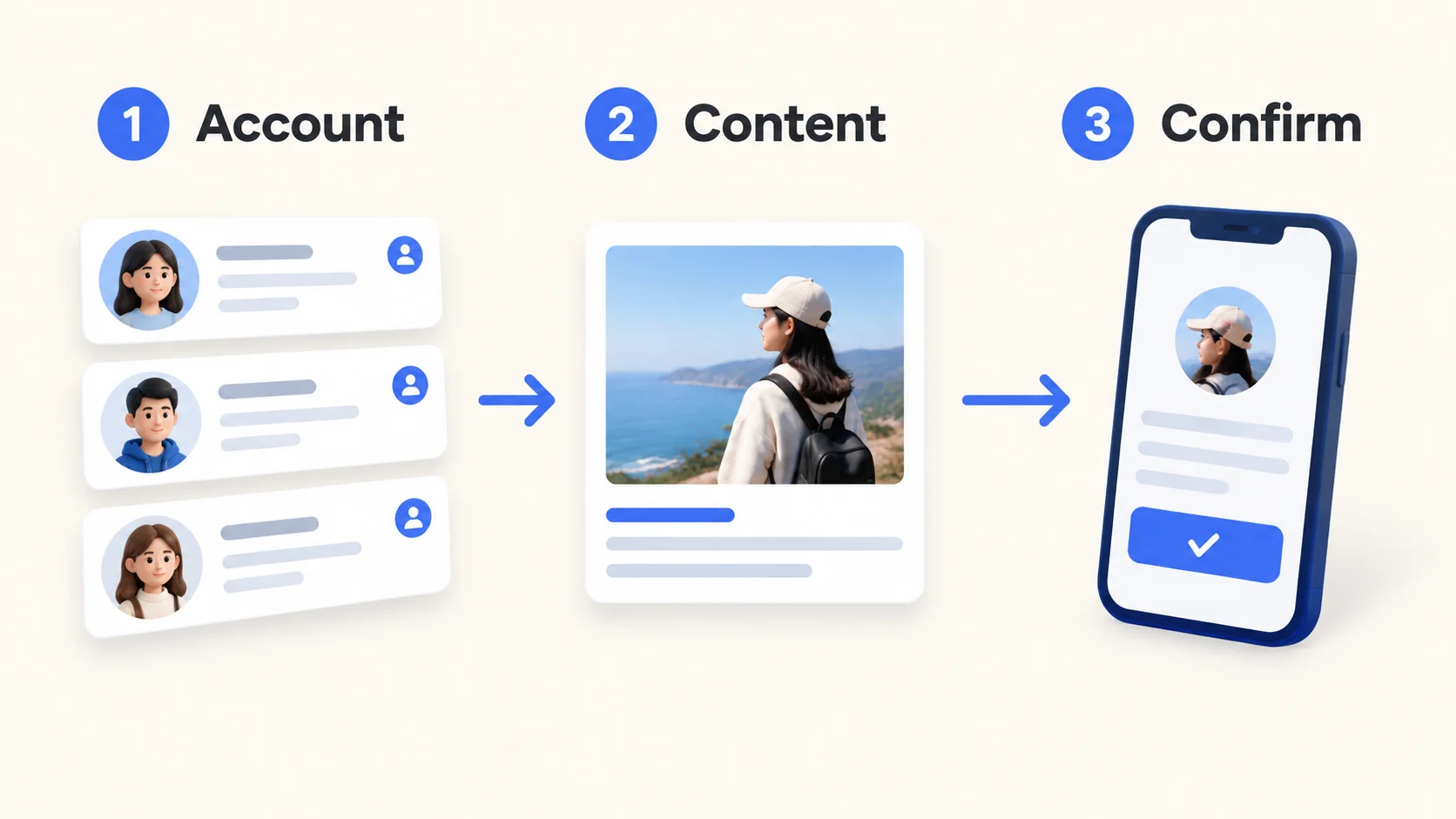
Before linking profiles or changing shared login settings, record which business owns each account and who controls recovery. Make the choice deliberately, especially when a client's profile and an employee's personal profile are involved.
Meta's April 2026 announcement describes a gradual move from Accounts Center to Meta Account, with more login and security settings managed centrally. It also says you can choose different Meta Accounts for different apps or devices. Meta's account update
Use the controls currently shown in the account and read what a connection changes before confirming it. After an approved access change, update the register and check that the person responsible can still perform the intended task. This guide focuses on the operating workflow; menu labels and account limits need checking in your current Instagram setup.
Review the accounts once a week
Use the register and publishing briefs to answer four questions for each profile:
| Question | What to examine | Decision to make |
|---|---|---|
| Did we publish what was approved? | Planned briefs and verified post links | Fix the step where work stalled or changed |
| Did the content prompt the intended next step? | The account's chosen outcome, such as product visits or enquiries | Repeat the useful angle or test a different message |
| Did we answer the right questions? | Comments and messages that needed an owner | Improve the account's answer sheet or make a new post |
| Can someone else continue tomorrow? | Access owner, backup and unfinished tasks | Complete the missing handover information |
Compare each account with its own purpose. A local cafe's useful enquiries and a school's class bookings don't need the same target. Record what you can actually observe; don't turn every view into an assumed sale.
Before an operator changes roles or leaves, assign the incoming person, confirm their authorized access, and hand over unfinished briefs. Then review the outgoing person's access with the account owner. Use the team handoff guide to package that work.
Start with one account, then repeat
Choose one profile and fill in its register entry today. Prepare one brief, complete the task on PhoneFarm, and record the result. Ask a colleague to follow the record without your explanation. Anything they need to ask is something the workflow should capture.
Once that cycle works, add the other accounts with their own owners, content goals and briefs. Review PhoneFarm pricing against the accounts and tasks you plan to operate, or explore PhoneFarm to choose your next step.