 FARM
FARMGuide
Can You Merge Instagram Accounts? A Two-Account Transition Plan
Meta's checked guidance describes account switching and exports, not a native follower merge. Use this two-account worksheet to plan and verify a clear transition.
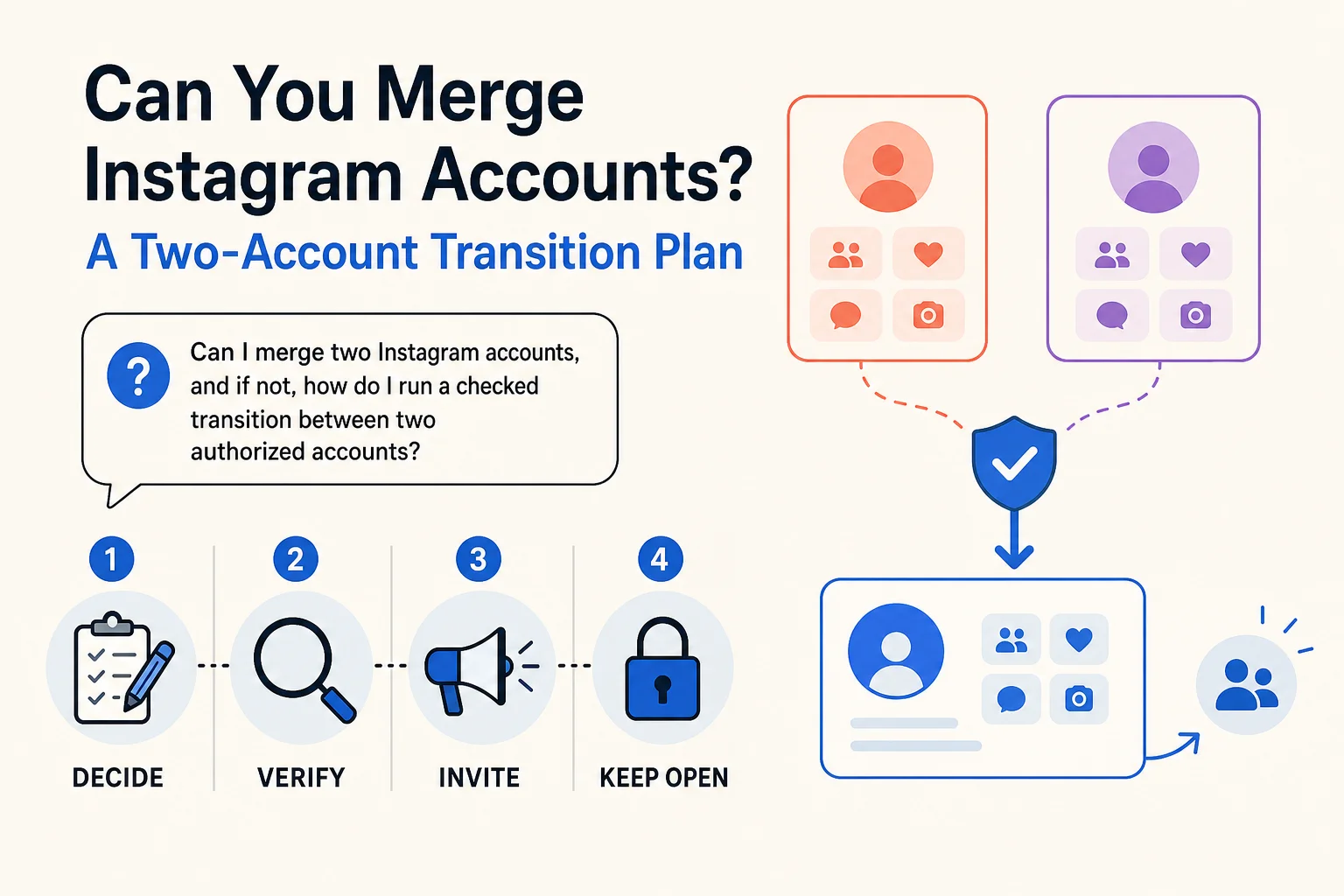
If by “merge Instagram accounts” you mean turn two profiles and their followers into one, the Meta guidance checked for this guide does not document a native merge process. It describes creating and switching among profiles, and separately downloading Instagram information. Neither action combines followers, messages, engagement, or account history. That is a finding about the sources checked here, not a claim that we tested every Instagram control. Meta on multiple profiles · Meta on information downloads
For a marketer responsible for an old brand profile and a new one, the useful alternative is a transparent transition: decide which account continues, verify what each profile actually shows, invite people to follow the continuing account, and keep the old one available until your handoff checks pass. Do not describe this as moving followers; each person decides whether to follow.
PhoneFarm lets you open and use multiple Instagram accounts. An operator authorized for both profiles can use PhoneFarm to inspect the old account, open the continuing account for a separate check, and return to the old one before closing the transition. Instagram supplies its own profile and posting controls. This workflow uses PhoneFarm to open and inspect the accounts; it does not treat PhoneFarm as a merge, transfer, import, or automatic publishing tool.
Decide what you actually need to combine
Write down the desired outcome before changing either profile. These requests call for different work:
| What you want | What the checked Meta sources establish | Practical decision |
|---|---|---|
| One login or easier switching | Meta has described profile switching and optional connected experiences. Its 2022 announcement is context, not a tested current menu path. | Use the available account-management flow, but keep each profile's identity clear. |
| A copy of old photos and videos | Meta describes downloading Instagram information and transferring photos or videos to other services. | Preserve a copy if needed; do not assume an archive can be imported into a second Instagram profile. |
| Old followers automatically on the new account | The checked official pages do not describe an Instagram-to-Instagram follower merge. | Explain the move, point people to the continuing profile, and record the result as an invitation, not a transfer. |
| One public brand destination | You can choose which account remains the main destination. | Verify both public profiles, links, announcements and ownership before retiring the old one. |
The last row is the job this guide completes. Our multiple-Instagram-account guide covers general account organization; this page gives you a transition decision and a record you can hand to a teammate.
Choose the continuing account before announcing anything
For each authorized account, record its exact handle, intended audience, current public bio and destination link. Identify the person who can approve changes. Then choose the account that should remain the public home for the brand. Do not choose by follower count alone: an account with the right audience promise, working destination and clear ownership may be a safer choice than a larger but confusing profile.
List any posts or media you may want to reuse. Your team should confirm it has the rights to reuse each item; a data download is a copy of information, not proof of permission to republish it elsewhere. Meta's information-management announcement describes downloads and transfers to other services, not an Instagram-to-Instagram import or a transfer of comments and followers.
If either account's owner, destination or content rights are unclear, mark the transition On hold. A new bio or announcement should not promise a move that the team cannot complete.
Run the two-account handoff
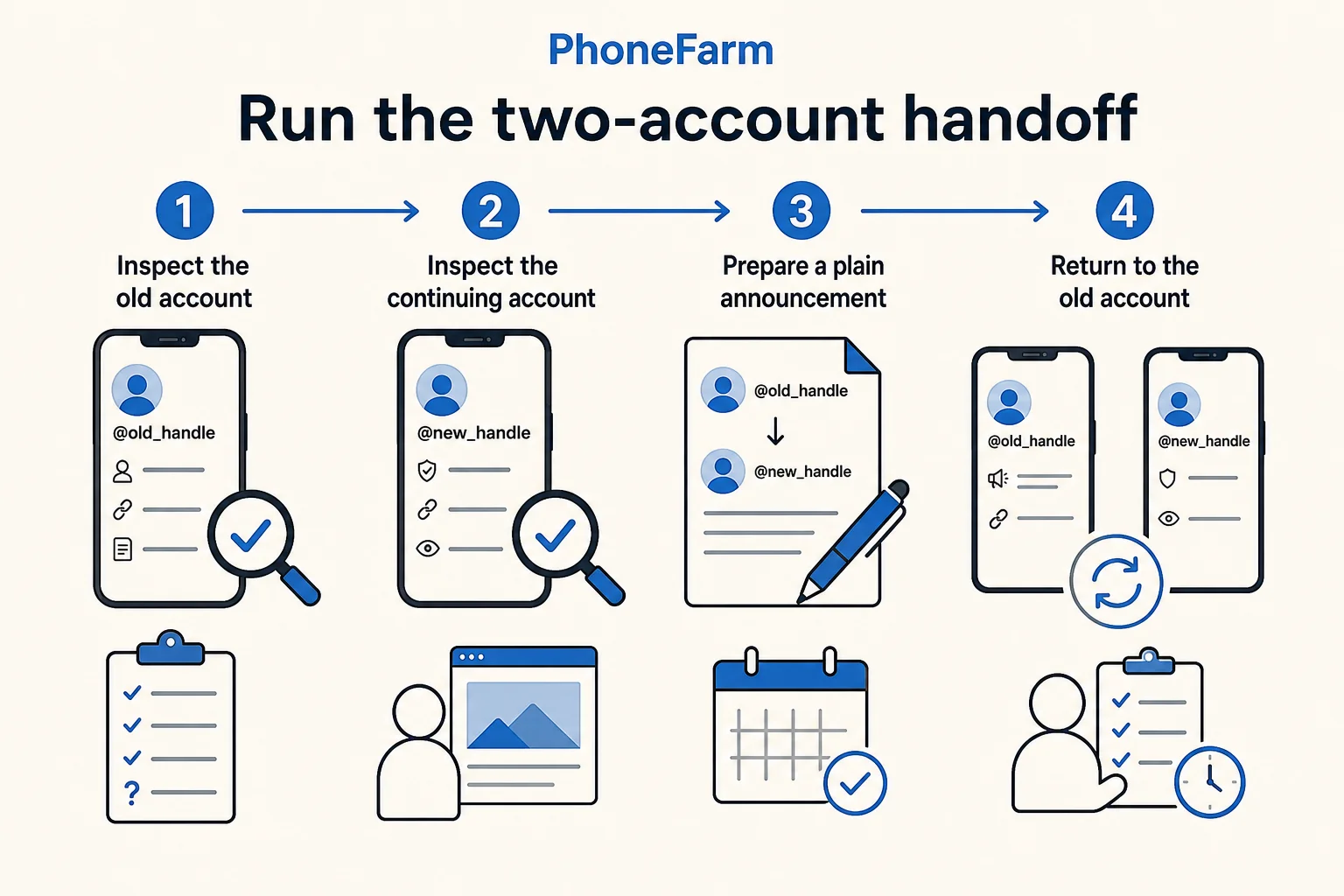
- Inspect the old account. Open the authorized old Instagram account on PhoneFarm. Read the visible handle before making a record. Copy its public profile URL, current bio, link destination and any already published transition notice into your worksheet. If a link is present, open it and check where it actually goes. Record “Not checked” for anything you cannot verify.
- Inspect the continuing account separately. Open the other authorized Instagram account on PhoneFarm. Confirm its handle, public promise, approved link and the content a visitor first sees. A correct old-account link does not prove this new destination works. Our profile audit worksheet can help if the continuing profile needs a deeper launch-readiness check.
- Prepare a plain announcement. Draft copy that names both exact handles and invites people to follow the continuing account. Have the account owner approve it. If an Instagram posting control is available and the authorized operator uses it, record the published URL and date. Do not claim that followers, messages, posts or engagement moved automatically.
- Return to the old account. Reopen it on PhoneFarm and verify the visible handle, announcement and destination after any approved change. Then inspect the continuing account once more from its public profile. Record what you observed, who checked it and when.
This sequence matters because the final announcement must point to the account that is actually ready to receive visitors. If either profile displays the wrong identity or destination, stop and fix that specific mismatch before telling an audience to move.
A filled example, then a blank record
The following outdoor-app example is fictional. These handles and observations are sample entries, not customer accounts, a PhoneFarm session or measured growth.
| Check | Old account @trailnote_old | Continuing account @trailnote_app | Decision |
|---|---|---|---|
| Authorized owner | Brand team | Brand team | Same team approves both changes |
| Audience promise | Old launch updates | Current trail-planning app | New account is the intended public home |
| Link observation | Sample entry: bio points to an outdated waitlist | Sample entry: app page link is approved but not yet tested | Hold the announcement until the new link is opened and checked |
| Content rights | Three candidate photos need owner review | Two current explainers are approved | Do not republish the three photos yet |
| Transition notice | Draft says “Follow @trailnote_app for current updates” | New bio identifies the app | Publish only after approval and destination check |
| Final verification | Not performed | Not performed | On hold, not retired |
Copy this compact record into your team's tracker and replace every sample field with an observation:
| Field | Your record |
|---|---|
| Old handle and public URL | |
| Continuing handle and public URL | |
| Approval owner for each account | |
| Old bio/link and checked destination | |
| Continuing bio/link and checked destination | |
| Content to reuse and rights owner | |
| Announcement wording, approver and published URL | |
| Old-account recheck: observer, date and result | |
| Continuing-account recheck: observer, date and result | |
| Unresolved follower or message expectations | |
| Decision: On hold or Ready to retire; reason |
Verify before retiring the old profile
Choose Ready to retire only when the continuing profile is accessible to the authorized team, its exact handle and destination are correct, any approved announcement is visible on the old profile, the owner has settled content and record-keeping needs, and someone has logged a final check of both profiles. “Ready to retire” is an internal handoff decision; it does not mean Instagram has moved an audience or that deleting an account is required.
Keep the decision On hold if a link is untested, an announcement points to the wrong handle, access is missing, content rights are unclear, or the team is still waiting for people to discover the new profile. A team may choose to keep both accounts active for distinct audiences. Revisit the record after each approved change rather than assuming the transition succeeded because an announcement was posted.
More operating guides are on the PhoneFarm blog. If managing multiple authorized Instagram accounts is part of your workflow, you can review PhoneFarm pricing.