 FARM
FARMGuide
Instagram Collab Post: A Two-Account Workflow
Create, accept, and verify an Instagram Collab post across two authorized accounts with PhoneFarm, a worked example, and a copyable record.
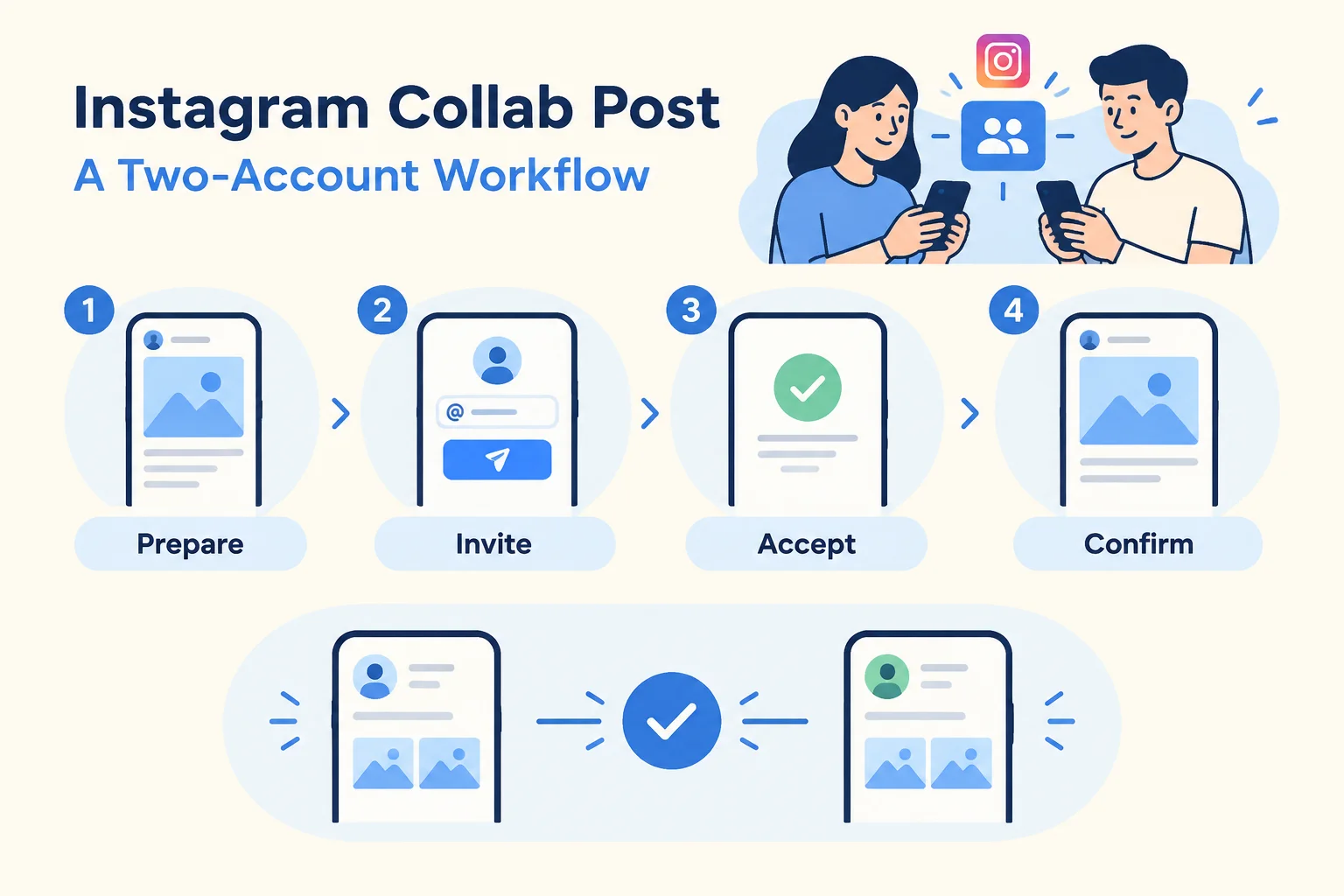
An Instagram collab post can be a practical way for two authorized brand accounts to publish one shared campaign asset, but the job is not finished when the first account sends an invite. The clean workflow is: choose the lead account, prepare the post there, invite the exact partner handle, open the invited account if you’re authorized to use it, accept only after review, then confirm the same post from both profiles.
PhoneFarm lets you open and use multiple Instagram accounts.
For this task, that capability fits the operating work around Instagram’s own Collab controls. Use it to move carefully between authorized profiles, check the handle you’re using, and record the final state. Do not use a two-account workflow for an account you are not allowed to operate. If you only control the lead account, send the invitation and ask the invited account owner to review and accept from their own access.
What has to be true before you start
Instagram says Collabs lets an account invite others to co-author a feed post, carousel or reel. Source: Meta
Instagram says that after collaborators accept, the content can appear on each participating account's profile grid and reach each collaborator's audience. Source: Meta
Those two points set the standard for the whole workflow. A sent invite is not a completed Collab. A message from a teammate saying “looks good” is not enough either. The task is complete only when the invited account has accepted and the same post can be inspected from both participating profiles.
Before committing to this plan, check that the needed Collab controls are available to your accounts. This is a suggested operating procedure, not a universal current menu path or a promise that every account can use the feature. If a needed control is unavailable, leave the task unfinished with an owner.
The two-account workflow
Use this workflow when one marketer or agency operator is authorized to operate both brand Instagram accounts. If the broader account setup is disorganized, first tighten the operating model in manage multiple Instagram accounts, then come back to this one-post process.
1. Name the lead account
Pick one originator before anyone opens Instagram. This account prepares the creative, caption, tags, location if used, and collaborator invitation. Don’t start from whichever profile happens to be open.
The lead account should be written into the brief. Choose the account that owns the campaign message, the asset, or the approval trail. The invited account should know what it is accepting and why.
2. Lock the shared message
Before the operator opens Instagram, write one shared post sentence in plain language. This prevents a common two-brand failure: one brand expects a product announcement while the other expects an event promo.
Keep the brief narrow:
- Campaign name
- Asset type, such as feed post, carousel, or Reel
- Lead handle
- Invited handle
- Caption owner
- Final post URL, left blank until live
- Verification owner
Keep this packet in your own tracker; it is a suggested team record, not a PhoneFarm feature.
3. Open the lead Instagram account
Open the authorized lead Instagram account on PhoneFarm. Confirm its visible handle against the packet, then prepare the approved post inside Instagram. Check the asset and caption before proceeding. PhoneFarm supplies the account access context; use Instagram’s available controls for the post and invitation.
4. Select the collaborator and publish the approved post
Use the Collab controls available to the lead account to select the invited handle from the packet. Compare it character by character. Complete the approved publish or share action inside Instagram, following the sequence shown for your account.
Open the resulting post and save its URL. Record the invitation as “sent” only when Instagram shows that it was sent to the intended handle; keep “unconfirmed” if you cannot establish that. Publishing the originator’s post and completing the collaboration are separate checks. Do not upload another copy merely because the invitation is still pending.
5. Open the invited account and review the request
Open the authorized invited Instagram account on PhoneFarm. Confirm the handle and inspect the collaboration request inside Instagram from that account’s perspective.
Accept only after checking that the originator, asset, caption, and campaign match the brief. If anything is wrong, do not accept and fix it later. Stop, record the issue, and send it back to the owner.
If you are not authorized for the invited account, send the invited account owner the post context and ask them to accept directly. Your task stays pending until they confirm acceptance and you can verify the result from both profiles using authorized access.
6. Verify both profile grids
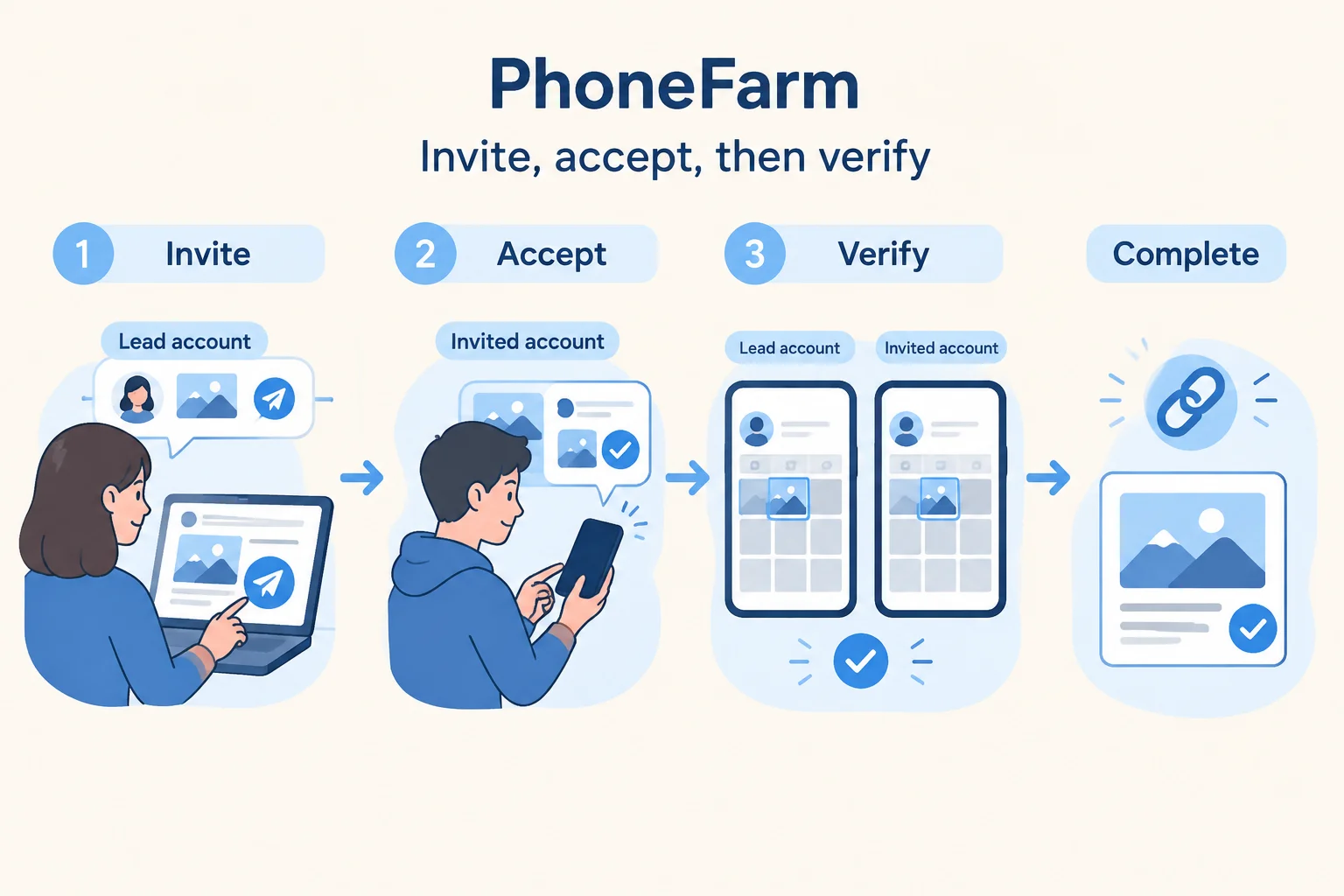
After acceptance, inspect the same post from both participating accounts. Open the originator profile grid and confirm the post is present. Then open the invited profile grid and confirm the same post is present there too.
Use the post URL as your anchor. The clean result is one co-authored post, not two separate uploads with matching captions. If one profile shows it and the other does not, keep the status as unconfirmed.
For a general publication check after any post, see verify publication. For this Collab task, your extra standard is two-profile confirmation.
Operating packet you can copy
Paste this packet into your project tracker before you open Instagram. Fill it in as the work moves from invitation to acceptance to verification.
Instagram Collab operating packet

Campaign:
Asset type: Feed post / carousel / Reel
Approved asset file or link:
Shared message:

Lead account handle:
Lead account owner:
Invited account handle:
Invited account owner:
Operator authorized for both accounts? Yes / No

Caption approved by:
Creative approved by:
Publish window:

Originator publication: Not started / Published / Unconfirmed
Invitation state: Not sent / Sent to intended handle / Unconfirmed
Acceptance state: Pending / Accepted / Declined / Unconfirmed

Final verification:
Post URL:
Visible on lead profile grid? Yes / No / Not checked
Visible on invited profile grid? Yes / No / Not checked
Verified by:
Verified at:
Final status: Complete / Pending / Blocked
Blocking owner if not complete:
Next action:
When you finish, don’t leave the packet as a planning artifact. Use it to decide the task state. If both grids are confirmed, mark complete and store the post URL. If anything is pending or uncertain, assign the blocking owner and keep the task open.
Hypothetical worked example: cafe plus barista school
All handles, people, campaign details and times below are fictional. The post-URL field is a placeholder, not a real Instagram result.
A neighborhood cafe and a barista school are launching one latte-class Reel. The cafe is the lead account because the class happens there and the caption has already been approved by the cafe’s marketing manager.
The operating packet starts like this:
Campaign: Saturday latte class launch
Asset type: Reel
Approved asset file or link: LatteClass_Reel_Final.mp4
Shared message: Join our Saturday latte class hosted by the cafe team and the barista school.

Lead account handle: @fictionalcafe
Lead account owner: Cafe marketing manager
Invited account handle: @fictionalbaristaschool
Invited account owner: School program manager
Operator authorized for both accounts? Yes

Caption approved by: Cafe marketing manager
Creative approved by: School program manager
Publish window: Tuesday morning
The operator opens @fictionalcafe on PhoneFarm, confirms the handle, and prepares the approved Reel inside Instagram. Using the available Collab controls, they select @fictionalbaristaschool and complete the publish action. They open the resulting post, save its URL, and confirm the invitation was sent to the intended school handle. The packet now reads: “Publication: Published; Invitation: Sent to intended handle; Acceptance: Pending.”
Next, the operator opens @fictionalbaristaschool on PhoneFarm, confirms the invited profile, reviews the request, Reel and caption inside Instagram, and accepts. Only the acceptance field changes to “Accepted”; the operator still needs to check the result.
Finally, the operator opens the live post from @fictionalcafe and copies the post URL. Then they inspect @fictionalcafe’s grid and @fictionalbaristaschool’s grid. The same Reel is visible from both profiles, so the packet becomes:
Final verification:
Post URL: [saved URL of the one published Reel]
Originator publication: Published
Invitation state: Sent to intended handle
Acceptance state: Accepted
Visible on lead profile grid? Yes
Visible on invited profile grid? Yes
Verified by: Agency operator
Verified at: Tuesday 10:18 a.m.
Final status: Complete
Blocking owner if not complete: None
Next action: Add URL to campaign report
That is the finished output: a checked co-authored post with one URL and two confirmed profile appearances. If the invited account had stayed pending, the final status would not be complete.
Exception table for common blockers
| Situation | What it means | What to do next | Final task state |
|---|---|---|---|
| Invite is pending | The lead account sent the invitation, but the invited account has not accepted | Ask the invited account owner to review and accept, or open the authorized invited account and review it yourself | Not complete |
| Wrong invited handle | The invitation went to the wrong profile or a lookalike handle | Stop. Do not verify or duplicate the post as complete. Correct the invitation if Instagram’s available controls allow it, or rebuild the post only after the owner approves | Blocked until owner decides |
| Feature unavailable | The operator cannot find or use the Collab option for this account or post type | Record the missing control and ask the account owner to investigate using current Instagram guidance; agree a different publishing plan if needed | Blocked |
| Result unconfirmed | Someone says it was accepted, but you cannot confirm both profile grids | Keep the post URL in the packet and inspect both profiles again. If one profile still does not show the post, do not mark complete | Not complete |
| Only lead account is authorized | You can create and invite, but you cannot accept for the partner | Send the brief and acceptance request to the invited account owner. Wait for confirmation and verify the result | Pending external owner |
Every exception needs a state and an owner. “Probably done” is not useful in a campaign tracker.
Keep account setup separate from this post
If you’re building the account list that supports this kind of work, keep a clean account inventory. If your team is preparing Instagram and YouTube identities for regular publishing, use the Instagram and YouTube readiness guide to separate readiness checks from one-off posting tasks.
Collab posts are not creator marketplace or partnership ads
A Collab publication workflow is about one post being co-authored after an invitation and acceptance. Paid partnership discovery and advertising are a different operating lane.
Meta describes partnership ads as advertising that can amplify content with a creator or other partner's handle, which is distinct from the organic Collabs publication flow. Source: Meta
So don’t mix the records. Your Collab packet verifies invite, acceptance, and two-profile publication. Your paid partnership or ad workflow should live in its own approval and compliance process.
Final checklist before you close the task
Use this checklist after the invited account accepts:
- The lead account handle matches the brief.
- The invited account handle matches the brief.
- The asset is the approved feed post, carousel, or Reel.
- The invitation was sent from the lead account.
- The invited account accepted from the correct profile.
- The final post URL is recorded.
- The post appears on the lead account’s profile grid.
- The post appears on the invited account’s profile grid.
- The tracker says “Complete” only after both profile checks pass.
- Any failed or uncertain item has an owner and next action.
For current PhoneFarm options, see pricing. For broader account operations, browse the PhoneFarm blog.