 FARM
FARMGuide
Instagram DM Templates for Two Accounts
Use eight original Instagram DM templates, a two-account reply matrix and a send-or-hold check to answer enquiries from the right authorized profile.

The best Instagram DM templates don't start with a clever greeting. They start with the question the person actually asked and the account they asked it of. A reply about a regional offer sent from your main brand account can confuse a customer even when every word sounds friendly.
Here are eight original, editable replies for incoming questions. Use the matching template only after you confirm the account, recipient and facts. If a price, link, eligibility rule or permission is missing, hold the reply and name the person who can check it.
PhoneFarm lets you open and use multiple Instagram accounts.
That matters when you operate two authorized profiles: open the relevant Instagram account on PhoneFarm, read its visible handle, inspect the incoming conversation, then choose the reply written for that identity. You send the message manually in Instagram. The matrix and templates below are working aids you can copy into your own document; they are not a PhoneFarm inbox or sending feature. For broader account organization, use the multiple-Instagram-account guide.
Meta described customers asking businesses questions in Instagram chats. Meta's business-chat example is background for this reader task, not proof of how a particular account's inbox is configured today.
Make a reply map before you open either inbox
This filled example is fictional. PacePath is an invented consumer app. The handles, programs, messages and links below are illustrations, not PhoneFarm customers or observed results. Assume the operator has permission to use both Instagram accounts. Any real offer, policy or destination still needs the brand owner's confirmation.
| Authorized account | What it handles | Answer boundary | Link to verify before sending | Who decides a hold |
|---|---|---|---|---|
@pacepath_app | General app questions and existing-user access problems | No claim about regional program eligibility or a price that isn't on the current approved page | Main app help or plan page, recorded in the brand's own link register | App support owner |
@pacepath_west | Questions about the proposed West-region program and local creator enquiries | No promise that a person qualifies, that access is open, or that a collaboration is approved | Region-specific information page, if one has been approved | Regional program owner |
The point of two rows is practical: the same question can require a different answer or a hold depending on the receiving account. Keep the actual handles and approved destinations in your own account inventory. If access or responsibility changes, update that record before replying.
Check the identity and the conversation
Use this short sequence for each incoming enquiry:
- Choose the authorized account in your reply map. Open and use that Instagram account on PhoneFarm, then compare the visible handle with the row you chose. Stop if the handle does not match.
- Read the person's message and the relevant preceding conversation inside Instagram. Do not infer intent from a notification preview alone. Check that you're looking at the intended recipient before composing.
- Select the template for the question and that account. Replace every bracketed field with a verified detail. A blank field is a reason to hold, not a cue to improvise.
- Check the destination link and any price, availability, eligibility or support instruction against the brand's current approved information. Send manually in Instagram only when those checks pass. Otherwise record the question and its decision owner in your normal work tracker.
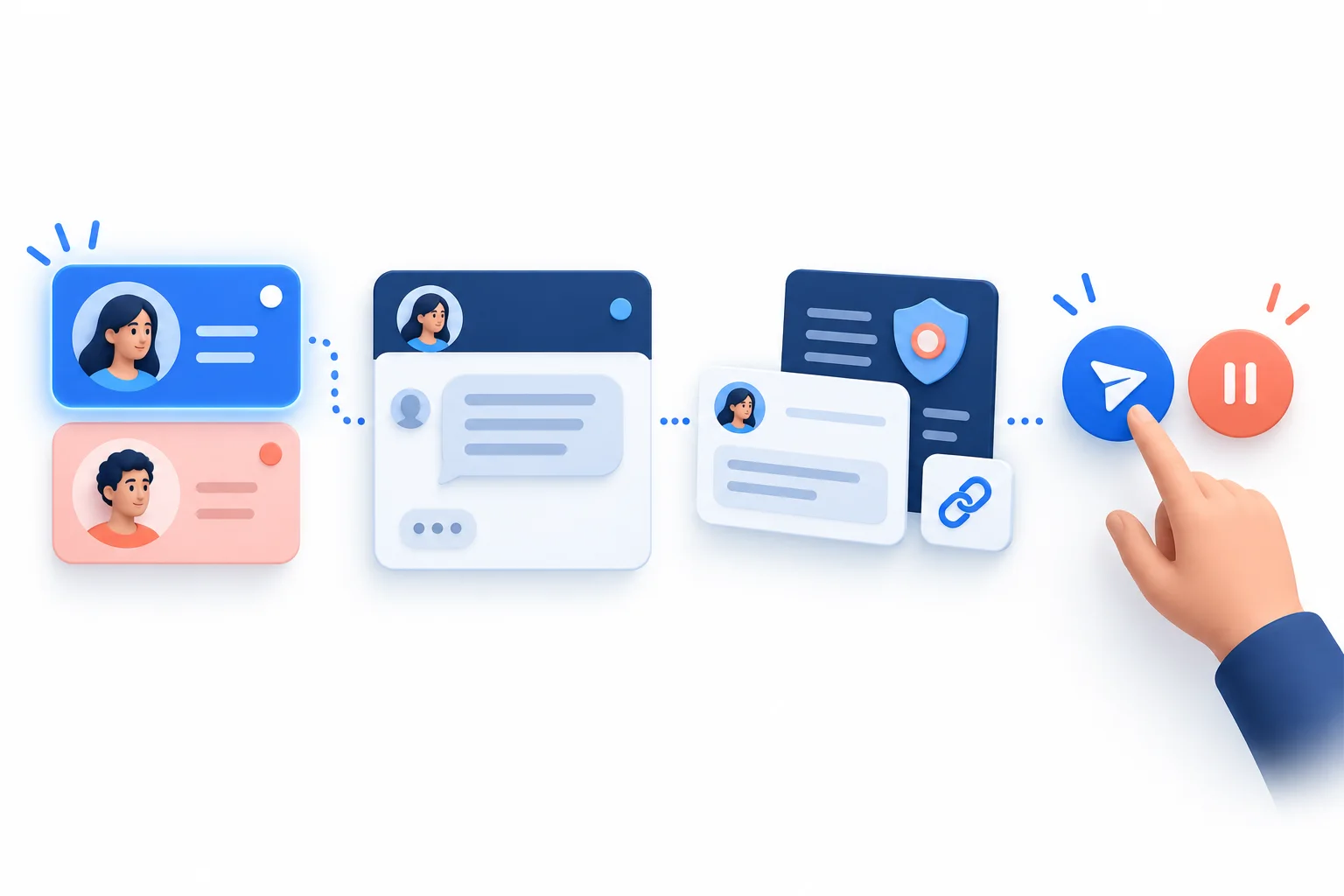
The illustration shows a proposed decision sequence. It is not an Instagram or PhoneFarm screenshot. Meta documented the ability to pin chat threads in Instagram DMs in 2025. Meta's DM update describes that Instagram feature, but a pin is only a reminder; use a separate owner and status record if a reply needs a decision.
Eight inbound Instagram DM templates
These are starting points, not messages to send unchanged. Square brackets mean you must fill a field from the current conversation or approved brand information. Each example assumes the person contacted the account first. None is a bulk outreach or automated message.
1. A price question
Thanks for asking about [plan or product]. The current details for [the account's offer] are at [approved link]. If you tell me [one useful detail about the need], I can point you to the right option. I don't want to quote a price that may have changed.
Hold when: the plan, price page or destination link hasn't been approved for the account that received the DM. Do not borrow a price from another profile.
2. Availability or access
I can help check [feature or program]. Are you asking about [specific version or location]? Once I have that, I'll confirm what is currently available for [account or region] before I give you a next step.
Hold when: the operator cannot verify current availability. The question is an acknowledgement, not a claim that access is open.
3. Regional eligibility
Thanks for reaching out to [regional account]. To check whether [program] applies to you, can you share [minimum relevant region detail]? I'll confirm the current eligibility rule with [program owner] before suggesting a sign-up path.
Hold when: the region rule or sign-up path is unconfirmed. Ask only for information needed to answer; do not invite sensitive details into a DM.
4. An app-access problem
Sorry you're having trouble with [action]. What step fails, and what message do you see? Please don't send a password, one-time code or payment details here. I can direct you to [approved support channel] once I know which account and issue this concerns.
Hold when: there is no verified support destination. Do not diagnose an outage, promise a fix or request credentials from a DM.
5. A creator collaboration enquiry
Thanks for the idea about [specific proposal]. Could you send a short outline of [deliverable] and [timing] to [approved collaboration contact]? The [account's] owner will review whether it fits. I can't confirm a partnership in this chat.
Hold when: the contact or review owner is not approved, or the operator lacks permission to discuss partnerships. A request is not an acceptance.
6. A privacy or complaint escalation
Thank you for flagging [short, non-sensitive description]. I want the right person to review it. Please use [approved private support route] and include [reference the support team actually needs]. Please don't post personal or payment information in this chat.
Hold when: the route is unverified. Escalate through the brand's established process rather than asking the person to repeat sensitive details to the wrong account.
7. A question sent to the wrong account
You're writing to [receiving account], which handles [its actual scope]. [Other account or official channel] handles [the requested topic]. Here is its verified destination: [approved link]. If you'd prefer, tell me the general question and I'll check who owns it before pointing you elsewhere.
Hold when: you cannot verify the other account's identity or link. Never invent a transfer or say the conversation has moved automatically.
8. An unresolved follow-up
I'm following up on your question about [topic]. I'm still checking [specific missing fact] with [decision owner], so I don't have a confirmed answer yet. I'll update this conversation after that check. If your need has changed, let me know.
Hold when: no owner is actually checking, or the operator cannot return to the right conversation. Don't promise a date you cannot meet.
See how one reply changes between accounts
In the fictional PacePath example, someone asks @pacepath_west: “Can I use the new plan from outside the West region?” A generic price or sign-up template would imply access that the operator has not confirmed. Instead, they open the authorized West account on PhoneFarm, verify its visible handle and the message, then use the regional-eligibility template. They ask for only the minimum region detail and hold any access claim until the regional owner confirms the rule. The suggested status record is waiting for region rule, with the regional owner named.
If a different person asks @pacepath_app why an existing login failed, the operator opens that separate authorized account and uses the app-access template. The response asks what step failed and points toward a verified support channel. It doesn't borrow the West-program answer. This is the distinct value of checking both account identities before selecting a reusable reply.
Copy this blank matrix for your own approved accounts. Keep it in your own working document; do not paste private customer details into a public template.
| Authorized handle | Audience and scope | Approved answer facts | Verified destination | Hold or escalation owner |
|---|---|---|---|---|
[account A] | [who this account serves] | [current approved facts] | [link checked on date] | [named owner] |
[account B] | [who this account serves] | [current approved facts] | [link checked on date] | [named owner] |
Before pressing send, ask: Am I authorized for this account? Does the visible handle match the matrix? Is this the intended recipient and conversation? Does the template answer the actual question? Are its facts and link current for this account? If any answer is unknown, hold and use your team handoff record to name the next decision owner.
For the account setup around this task, return to the PhoneFarm blog. If you're evaluating PhoneFarm for operating your authorized Instagram accounts, review the current options against the work you need to complete.