FARM
FARMGuide
Instagram repost feature: brand account workflow
Use Instagram’s native repost control between authorized brand accounts, then verify the original source and destination profile.
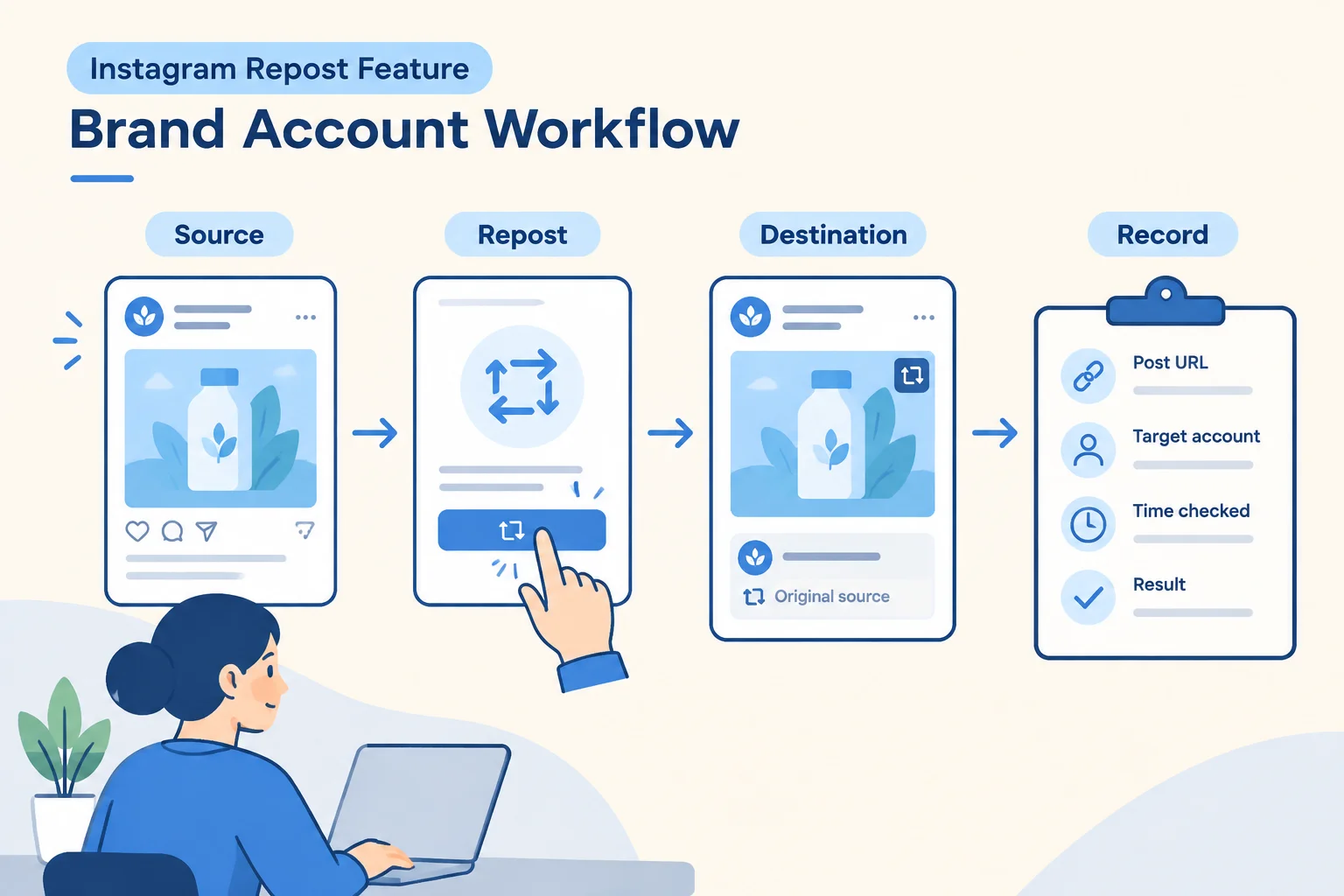
The safest way to use the Instagram repost feature between two authorized brand accounts is to treat it like a source-to-destination handoff. Confirm the original announcement while you’re in the source account. Then open the intended destination account, use Instagram’s native repost control if it’s available there, and verify the repost from the destination profile’s repost area with the original attribution still visible.
This is not the same job as downloading media and uploading a new copy. It’s also not the same as a Collab post. You’re sharing the original public announcement through another account, then recording what you saw so your team can prove it used the right source and the right destination.
PhoneFarm fits this workflow when your team needs to operate the source and destination accounts separately rather than constantly signing in and out on one personal phone.
PhoneFarm lets you open and use multiple Instagram accounts.
Use that access to slow the process down at the two points where mistakes happen most often: confirming the source identity before you touch the repost control, and confirming the destination identity before you record the result.
What Instagram’s native repost does
Meta says Instagram reposts can be used for public reels and feed posts. Source
Meta says reposts are credited to the original poster and appear in a separate tab on the reposting profile. Source
That gives your team two verification anchors:
- the original public reel or feed post from the source account
- the repost entry on the destination account’s profile, with original attribution visible
It does not prove every follower saw the repost. It does not prove reach, sales, notifications, or ranking. It also does not create a separate creative asset owned by the destination account. Your receipt should record the original post URL, the target account, the time checked, and the observed result. Don’t invent a separate repost permalink unless Instagram itself shows one and your team can verify it.
Meta says a user can repost a reel or post by tapping the repost icon. Source
Meta says a user can optionally add a note to a repost by typing into the thought bubble and saving it. Source
If the native repost control is absent, stop and record a hold. Don’t replace this workflow with a download, screen recording, or undocumented workaround.
Repost vs. Collab
A repost is a destination account sharing an existing public post or reel while keeping credit on the original poster. A Collab is a co-authored publishing setup.
Meta describes Collabs as a separate co-authoring feature for feed posts, carousels or reels where accepted collaborators can have the content appear on each account's profile grid. Source
If you need co-authorship and placement on each accepted collaborator’s profile grid, use a Collab process instead. Start with our separate Instagram Collab post brief. If you need one already-published public announcement shared through a second authorized account, use the repost workflow below.
For broader multi-account structure, see how to manage multiple Instagram accounts. For readiness checks across social accounts before campaign work, use the Instagram and YouTube readiness guide. You can also browse more operating guides in the PhoneFarm blog.
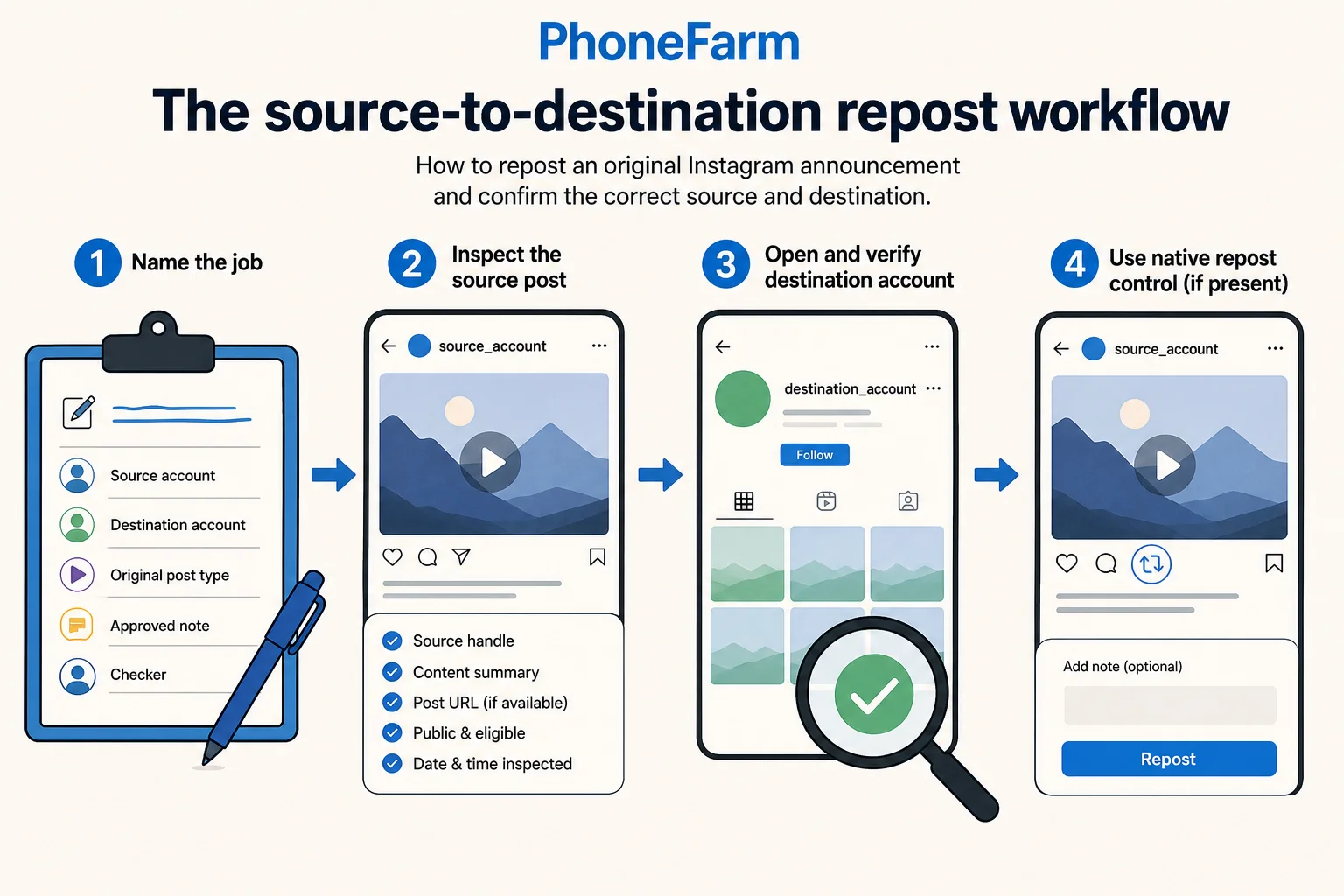
The source-to-destination repost workflow
Use this procedure for one original announcement and one destination account. It assumes both accounts are authorized for your team to operate.
1. Name the job before opening Instagram
Write the campaign in one sentence before anyone opens the app.
Record:
- Source account: the account that published the original announcement
- Destination account: the account that will repost it
- Original post type: public reel or feed post
- Approved optional note: the exact text, or “none”
- Checker: the person who will verify the destination profile after reposting
This step prevents the common mix-up: opening Instagram, seeing the right creative, and using the wrong account.
2. Open the source account and inspect the original announcement
Open the source identity first. Confirm the account handle in Instagram, not from memory. Then inspect the original announcement.
Record:
- source handle
- visible post or reel content summary
- original post URL, if available to your team
- whether the post appears public and eligible for the native repost workflow
- date and time inspected
Your goal isn’t to audit the whole account. It’s to confirm that the content you’re about to share is the intended original announcement and not a lookalike draft, older announcement, duplicate upload, or partner post.
3. Open the destination account and verify the identity
Now switch to the destination identity. Confirm the destination handle before touching the repost control.
PhoneFarm lets you open and use multiple Instagram accounts.
That product fact supports the operating pattern, but it doesn’t replace the human check. Your operator still needs to confirm the handle, account context, and intended destination inside Instagram.
4. Use the native repost control only if it’s present
From the destination account context, navigate to the original announcement. If Instagram shows the native repost icon for that post or reel, use it.
If your team approved a note, add only the approved note. If no note was approved, don’t improvise one during posting. A small casual line can create legal, promo, pricing, or local-store confusion if it wasn’t reviewed.
Then save or complete the repost according to the control shown in Instagram.
If the repost control isn’t present, stop. Record the hold reason. Don’t publish a new copy as if that were the same operation.
5. Verify from the destination profile
After reposting, inspect the destination profile from the destination account view. Look for the separate repost area described by Meta. Confirm that the repost entry shows the original announcement and the original poster attribution.
Record only what you can observe:
- destination handle checked
- original source attribution visible or not visible
- content matches the intended announcement or does not match
- check time
- checker initials
- result: confirmed, hold, or failed
This is the final quality gate. If you can’t confirm the destination profile contains the repost with the correct original attribution, don’t mark the task complete.
Worked example: hypothetical ceramics announcement
Hypothetical campaign:
- Brand source account: @emberandclay
- Local studio destination account: @emberandclay_pasadena
- Announcement: public feed post announcing a Saturday glaze workshop
- Approved note: “Pasadena friends, this one’s for you.”
- Operator: Maya
- Checker: Luis
Maya opens @emberandclay and confirms the original public feed post is the Saturday glaze workshop announcement. She records the original post URL in the receipt. She does not use a saved image from a shared drive, because this job is a native repost from the original Instagram announcement.
Maya then opens @emberandclay_pasadena and confirms the handle before acting. From the destination account context, she navigates to the source post. The native repost icon is present, so she taps it. She adds the approved note exactly as written: “Pasadena friends, this one’s for you.” Then she saves the repost.
Luis checks @emberandclay_pasadena. He looks at the destination profile’s repost area, confirms the workshop announcement is present, and confirms the original attribution points back to @emberandclay. He records the result as confirmed.
The receipt does not claim a new repost URL. It links the original post URL to the target account and the observed destination result.
Copyable repost receipt
Use this receipt for one source post and one destination account. Paste it into your campaign tracker, ticket, or launch doc.
Instagram native repost receipt

Campaign name:
Source account handle:
Destination account handle:
Original post type: feed post / reel
Original post URL:
Original content summary:
Source inspected by:
Source inspection time and timezone:
Destination identity confirmed by:
Approved optional note: none / exact text:
Native repost control present: yes / no
Repost action taken by:
Repost action time and timezone:
Destination profile checked by:
Destination check time and timezone:
Observed destination location: separate repost area on profile / other observed area / not found
Original attribution visible: yes / no
Content matched intended announcement: yes / no
Final result: confirmed / hold / failed
Notes for follow-up:
Filled receipt for the hypothetical example
Campaign name: Saturday Glaze Workshop Announcement
Source account handle: @emberandclay
Destination account handle: @emberandclay_pasadena
Original post type: feed post
Original post URL: [saved URL of the original public post]
Original content summary: Saturday glaze workshop announcement with class date and studio image
Source inspected by: Maya
Source inspection time and timezone: 2026-09-27 09:10 PT
Destination identity confirmed by: Maya
Approved optional note: Pasadena friends, this one’s for you.
Native repost control present: yes
Repost action taken by: Maya
Repost action time and timezone: 2026-09-27 09:14 PT
Destination profile checked by: Luis
Destination check time and timezone: 2026-09-27 09:18 PT
Observed destination location: separate repost area on profile
Original attribution visible: yes, @emberandclay
Content matched intended announcement: yes
Final result: confirmed
Notes for follow-up: Do not create a separate upload for this announcement unless a new publishing brief is approved.
Store the receipt with the campaign record. If a teammate later asks whether the local studio shared the brand announcement, the receipt tells them which source URL was used, which destination account was checked, and whether attribution was visible at the time of review.
Hold-and-check table
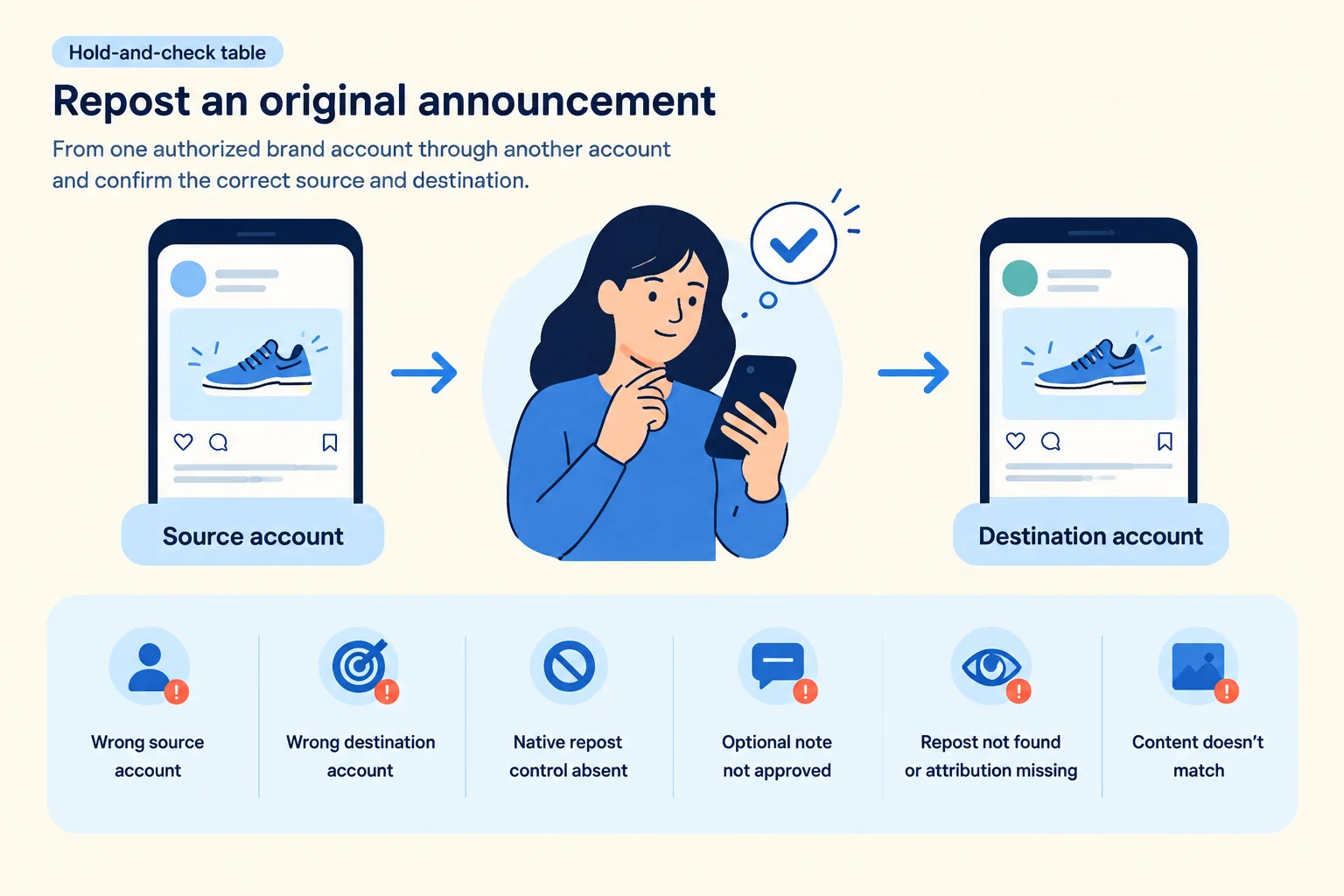
Use this table when something doesn’t match. The goal is to pause fast, not to rescue the task with a different publishing method.
| Situation | What it means | What to do next |
|---|---|---|
| Wrong source account is open | You may be about to repost the wrong original announcement. | Stop. Reopen the intended source account and inspect the original post again. Update the receipt only after the source handle is correct. |
| Wrong destination account is open | The repost could land on the wrong brand, studio, store, or region profile. | Stop before tapping repost. Open the intended destination account and verify the handle. |
| Native repost control is absent | This task can’t be completed through the native repost workflow right now. | Mark the receipt as hold. Escalate to the campaign owner. Don’t substitute a downloaded copy or new upload under this workflow. |
| Optional note is not approved | The repost can add unreviewed messaging to a brand announcement. | Leave the note blank or pause for approval, depending on your team policy. |
| Repost can’t be found on destination profile | The result is unconfirmed. | Recheck the destination handle and repost area. If still not visible, mark failed or hold. Don’t claim completion. |
| Original attribution isn’t visible | The verification anchor is missing. | Mark failed or hold and escalate. The workflow depends on visible original attribution. |
| Content doesn’t match the announcement | The wrong post or reel may have been shared. | Mark failed, notify the campaign owner, and follow your internal correction process. |
How to run this with PhoneFarm
For teams operating multiple authorized Instagram accounts, the practical value is a checked source-to-destination handoff. Open the source account, inspect the original announcement, then open the destination account and complete the repost check without turning the job into a memory test across personal devices.
PhoneFarm lets you open and use multiple Instagram accounts.
Keep your receipt outside Instagram. The receipt is your operating control, not a PhoneFarm feature claim. It should live where your team already tracks campaign execution: a ticket, spreadsheet, launch checklist, or shared operations doc.
If you’re building a repeatable content operations setup, start with the guides linked above. You can review PhoneFarm options on the pricing section.
Final pre-flight checklist
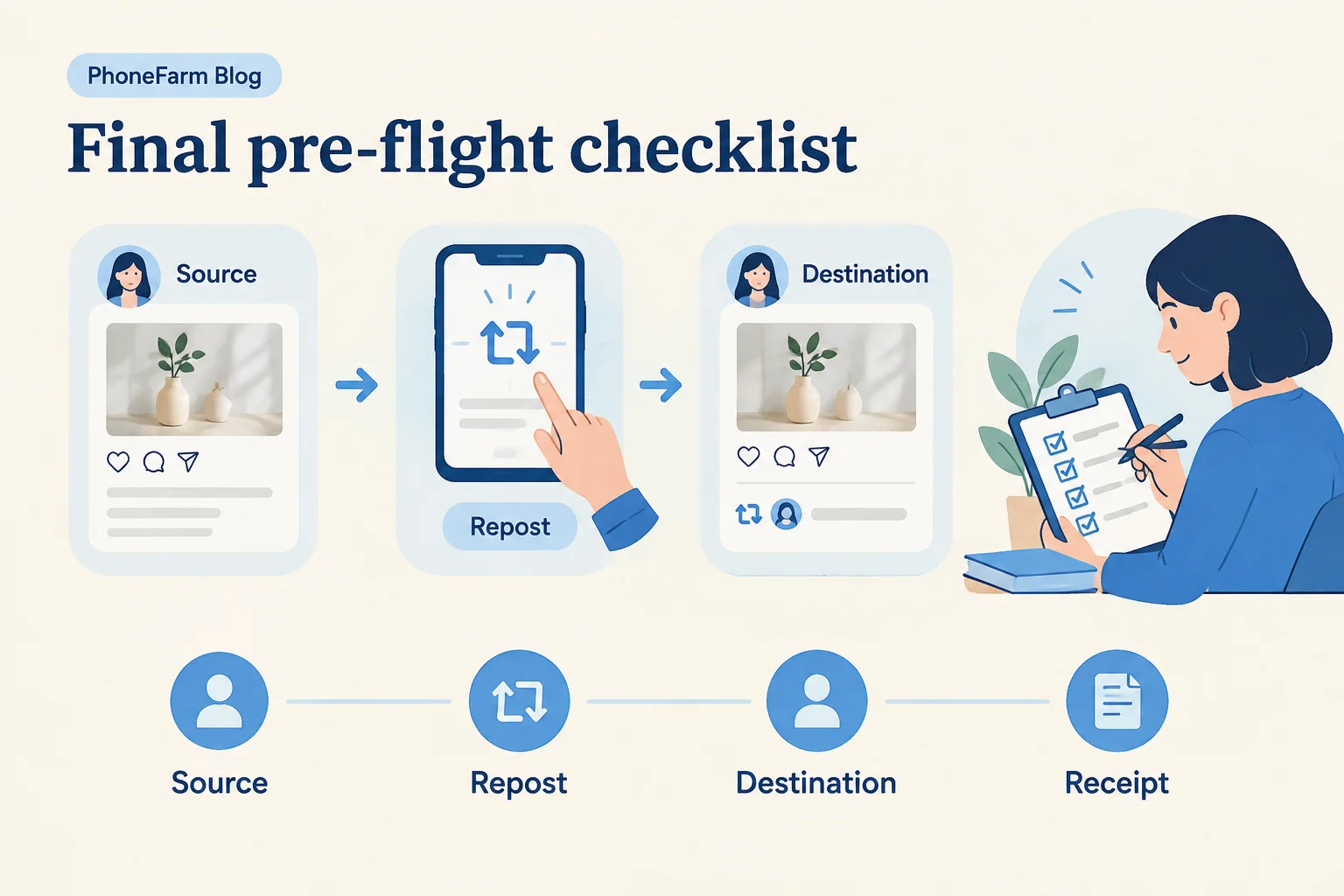
Before you mark the repost complete, confirm each item:
- The source account handle is the intended original publisher.
- The original announcement is a public reel or feed post.
- The destination account handle is the intended brand, studio, store, or local profile.
- The native repost control was present and used from the destination account context.
- Any optional note matched the approved wording exactly.
- The destination profile was checked after the action.
- The repost entry was observed in the destination profile’s repost area.
- The original attribution was visible.
- The content matched the intended announcement.
- The receipt records the original post URL, destination handle, check time, checker, and result.
That’s the whole job. Use the native repost control when it’s available, verify the destination from the destination profile, and keep a receipt that ties the original source to the observed repost result.