 FARM
FARMGuide
Repost Instagram Story Between Brand Accounts
Share a public Instagram Story to another authorized brand account's Story, check the source and destination, and use a copyable verification record.
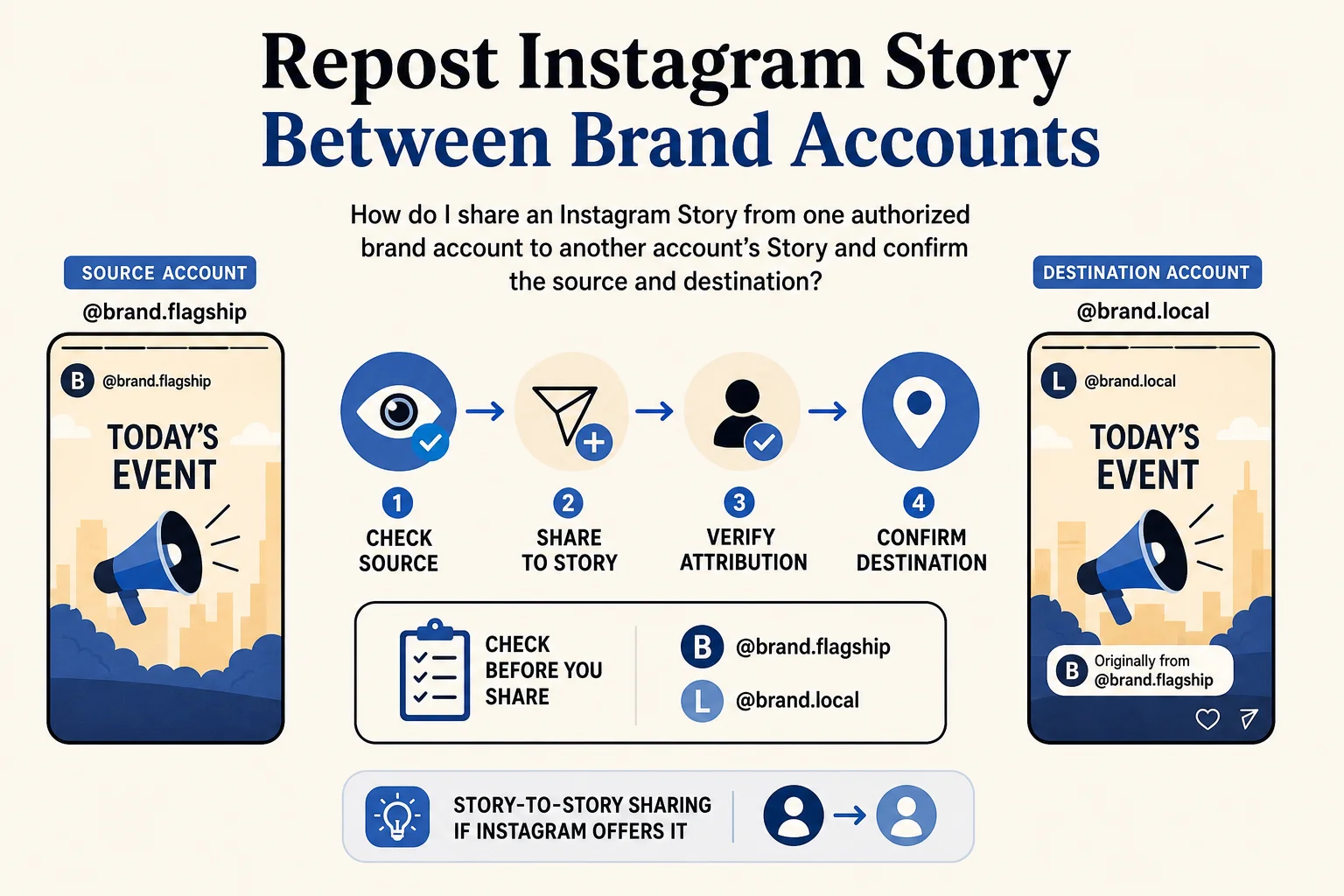
Need to repost Instagram Story content from a flagship brand account to a local account? The flagship has a Story announcing today's event. The local account needs to share that Story, not upload a copy or share an older feed post. First confirm that the source account is public and that Instagram offers Story-to-Story sharing. Then use Share → Add to story from the local account and inspect the resulting local Story for the right content and source attribution. Instagram says viewers can see who originally posted a shared Story. Source: Instagram Help Center
PhoneFarm lets you open and use multiple Instagram accounts. For a marketer authorized to run both identities, its practical role is to open the flagship account to check the current source Story, then open the separate local account to share and verify it. The sharing controls and attribution belong to Instagram. Keep the handles in your brief so you don't complete the right action from the wrong account.
Which kind of repost do you mean?
| What you have | What you want | Use this route |
|---|---|---|
| Someone else's current Story | A Story on your account | Story-to-Story sharing, if Instagram offers it for that source. This is the task below. |
| Someone else's feed photo or video | A Story on your account | Feed-to-Story sharing. Instagram documents a separate Feed-to-Story flow and says public source, resharing permission and feature availability matter. Source: Instagram Help Center |
| A public feed post or Reel | A persistent native repost | Use our Instagram repost guide; it covers a different surface. |
This distinction matters because a shared Story is a Story on the destination account. Don't use its appearance as proof that you made a persistent feed or Reel repost.
Check the source and destination before sharing
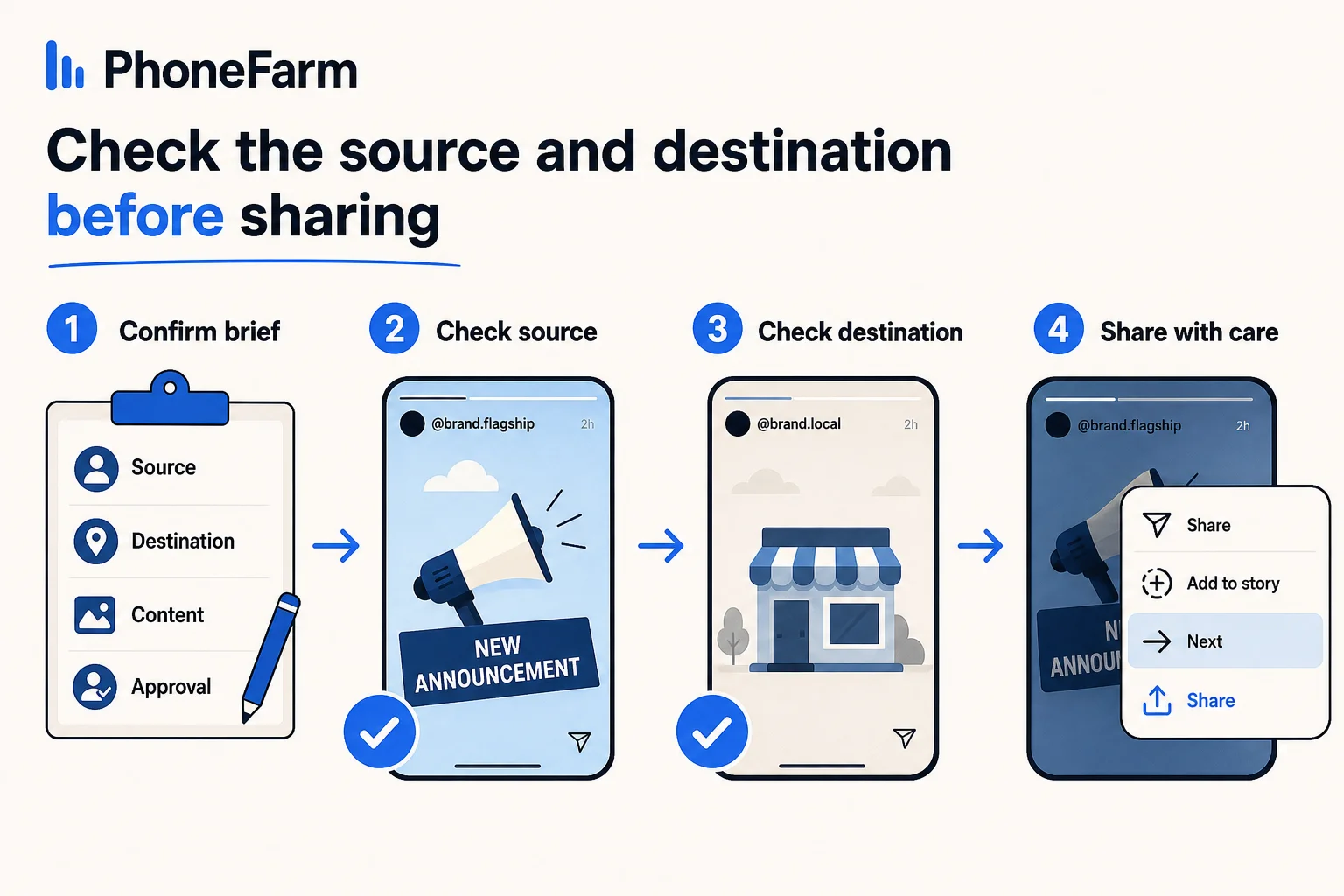
Write down the two exact handles and the piece of content to share. If your team manages many accounts, the broader multiple-account guide explains how to keep an account register. For this one task, a short brief will do:
- Source: Which authorized flagship account posted the current Story?
- Destination: Which separately authorized local account should share it?
- Content: What announcement, creative, or offer should be visible?
- Approval: Who owns the decision to share this source to that destination?
Open and use the authorized flagship Instagram account on PhoneFarm. Confirm its visible handle and inspect the current Story. Compare the actual content with the brief before moving on. A teammate's screenshot or an old asset link doesn't establish that the intended Story is currently available.
Next, open and use the authorized local Instagram account on PhoneFarm. Check its visible handle against the destination in the brief. If you can't establish which identity is active, stop and resolve that first. Don't discover the mistake after publishing to a different store account.
Instagram's current Story-to-Story help says the original account must be public. It describes a Share button on the source Story followed by Add to story, Next where shown, and Share. The help also describes controls the original account can use to limit resharing, so don't assume the option will appear for every Story. Source: Instagram Help Center
Share once, then verify the local Story
While signed in to the confirmed local account, view the intended flagship Story in Instagram. Check the source handle again at the point of action. If Instagram offers Share → Add to story, review the share preview and any proposed caption or sticker against your approval, then use Instagram's final Share control. PhoneFarm helps you operate the two authorized accounts; it doesn't supply or guarantee this native control. A private source, limited resharing, account defaults or feature availability may leave the option unavailable. In that case, mark the task pending rather than downloading the original and uploading a substitute without a new decision from the content owner.
After sharing, inspect the local account's own Story. Check three separate things: the active destination handle, the intended visual or message, and attribution to the intended source account. Instagram says viewers of a shared Story can see the original poster and open the original account. That is a useful verification point, not a promise about reach or how long the Story remains available. Source: Instagram Help Center
Record what you actually saw. If the final tap is uncertain or the result isn't visible yet, use unconfirmed rather than repeating the share immediately. A follow-up check from the destination account is more useful than a second copy of the same announcement. Our publication verification guide gives a broader check for other posts; here the key proof is the destination Story and its source attribution.
Worked example: one flagship Story, one local Story
Hypothetical example, with fictional handles and no claimed customer result. A brand team wants its downtown shop account, @cedartrail_downtown, to share the current event Story from its public flagship account, @cedartrail_hq. The approved message is “Saturday trail clinic, 10 a.m.” The operator is authorized to use both accounts.
The operator opens @cedartrail_hq on PhoneFarm, confirms that the current Story contains that announcement, and notes the source handle. They then open @cedartrail_downtown, confirm it is the active account, and open the exact flagship Story. If Instagram offers Add to story, they review and share from the downtown identity. They inspect the downtown Story afterward for the event message and @cedartrail_hq attribution. Only that observed result would move the record from pending to verified.
A sample record, shown to illustrate the fields rather than assert that an actual share occurred:
Story-share record: example only
Source: @cedartrail_hq (fictional public flagship)
Destination: @cedartrail_downtown (fictional local account)
Requested content: Saturday trail clinic, 10 a.m.
Authorization: Operator may use both accounts (example assumption)
Source Story checked: Pending live check
Instagram sharing control: Unknown until checked
Destination Story and attribution: Unconfirmed
Checked at: Not yet checked
Status: Pending
Owner if blocked: Flagship content owner
Use this blank version for a real handoff. It belongs in your team's own tracker; it isn't a PhoneFarm approval or reporting feature.
Story-share record
Source handle:
Destination handle:
Content to share:
Authorized operator or account owners:
Source Story checked at:
Source public and sharing offered? Yes / No / Unknown
Destination handle confirmed at:
Final share attempted at:
Destination Story checked at:
Source attribution visible? Yes / No / Unknown
Status: Pending / Verified / Unconfirmed / Blocked
Blocked reason and owner:
When to hold the task
A private source, missing resharing control, wrong active destination, or missing result is a reason to pause. If the source account is private or its owner has limited resharing, ask that owner what they want to do; don't ask them to weaken their audience settings merely to complete this task. If Instagram doesn't offer the control on this Story, ask whether the owner wants a separately approved creative for the local account. If you cannot verify the result, mark it unconfirmed and recheck before trying another share.
This workflow is about an authorized source-to-destination handoff. If you need to prepare the broader account setup first, start with Instagram and YouTube account readiness. Once both identities and the owner decision are clear, PhoneFarm plans show the account-operation options. Browse the PhoneFarm blog for other account-specific workflows.